| Author |
Message |
Undergrkg87
Joined: 07/23/2017
Posts: 11
Karma: +0 / -0 
Premium Support
|
 24-09-2017, 17:37 Subject: VCDS V2: Customization Options & Settings 24-09-2017, 17:37 Subject: VCDS V2: Customization Options & Settings |
Quote |
|
Hello community,
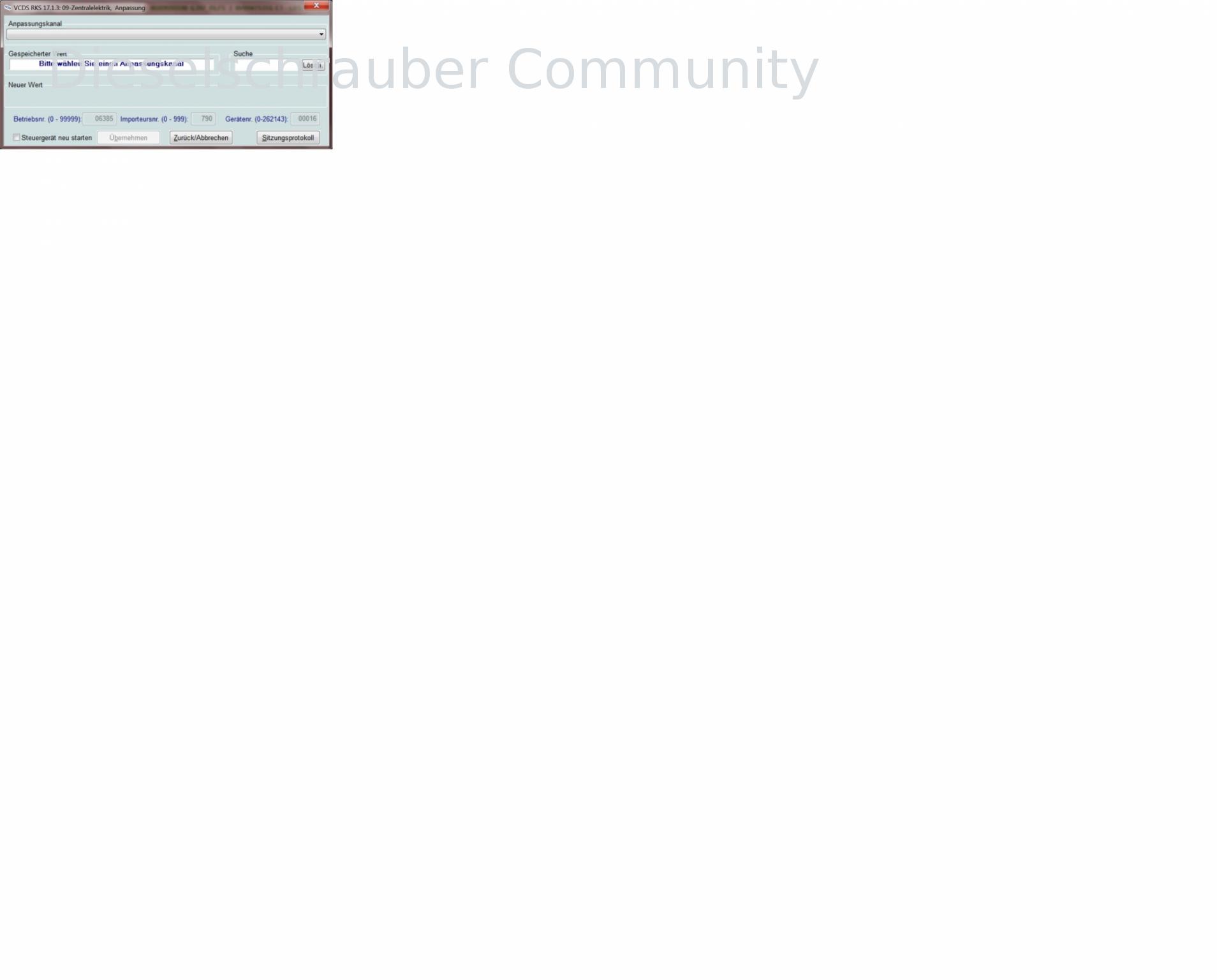
Does anyone know how to access the correct adaptation window in the central electronics module for Steuergeräte  ?
When I go to the customization settings, this window appears for me.
| Description: |
| VCDS V2: Customization Options & Settings |
|
| File size: |
135.06 KB |
| Viewed: |
2407 times |
|
| Description: |
| VCDS V2: Customization Options & Settings |
|

Download |
| File name: |
Scan-WAUZZZ8V0F1023411-20170923-1317-41897km.txt |
| File size: |
20.54 KB |
| Downloaded: |
521 times |
Translated on 14-10-2026, 2:40.
|
|
| Back to top |
Profile PM |
 |
dieselschrauber
Administrator


Joined: 04/12/2002
Posts: 18128
Karma: +803 / -0
Location: St.Gallen
2018 Volkswagen T6 
|
| 24-09-2017, 17:48 Subject: VCDS V2: Customization Options & Settings |
Quote |
|
Hi,
You've taken such a nice, large, white Screenshot. Just read what's written there. Expand the drop-down menu, see what options are available, and select one.
Best regards, Rainer.
| Description: |
| VCDS V2: Customization Options & Settings |
|
| File size: |
2.59 KB |
| Viewed: |
403 times |

|
Translated on 14-10-2026, 2:41.
|
|
| Back to top |
Profile PM WWW Garage |
|
Undergrkg87
Joined: 07/23/2017
Posts: 11
Karma: +0 / -0
Premium Support
|
| 25-09-2017, 11:55 Subject: VCDS V2: Customization Options & Settings |
Quote |
|
Hi there,
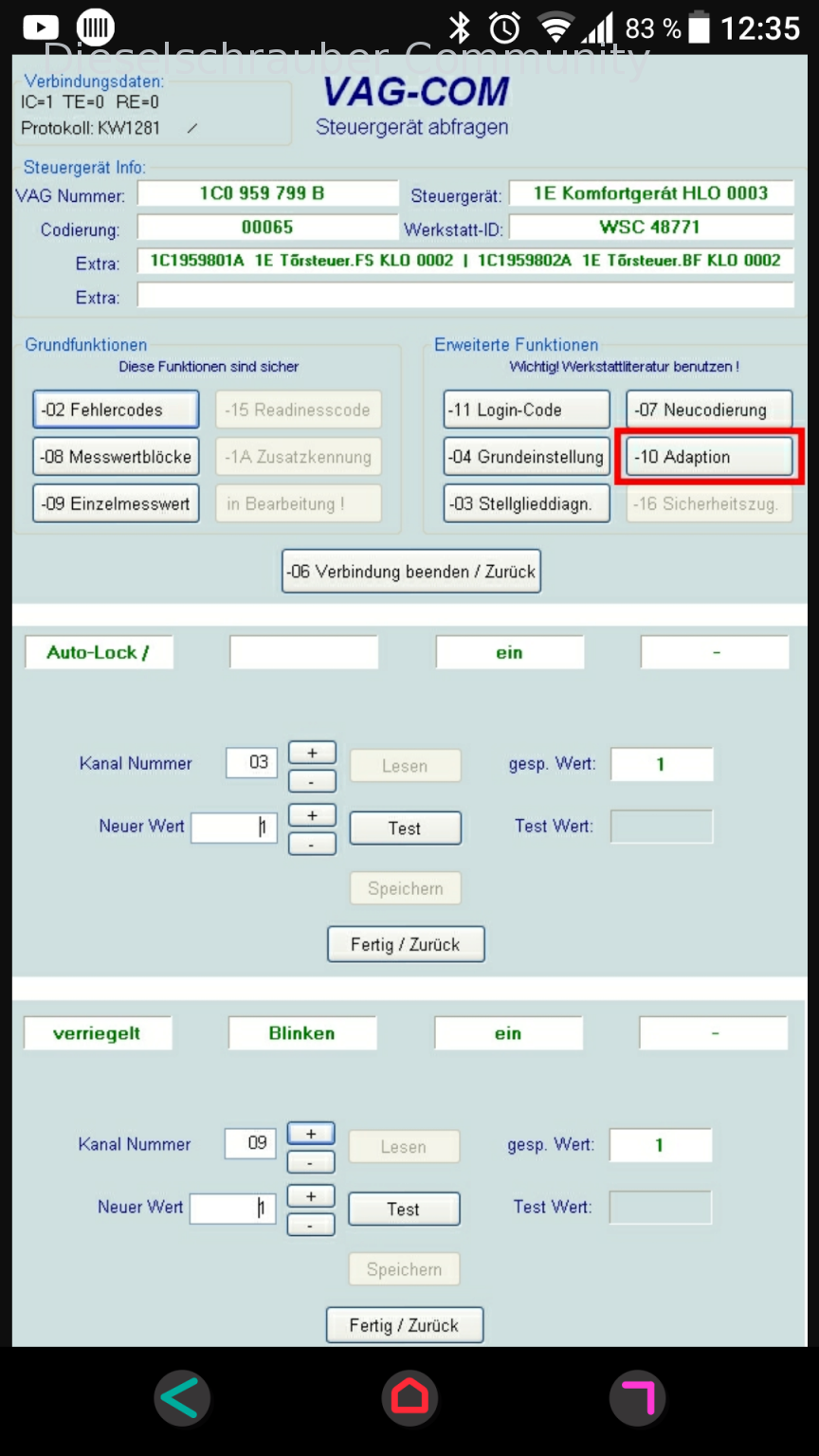
You're really searching through that dropdown menu, aren't you?
I actually expected this window in the adaptation.
| Description: |
| VCDS V2: Customization Options & Settings |
|
| File size: |
723.77 KB |
| Viewed: |
523 times |
|
Translated on 14-10-2026, 2:41.
|
|
| Back to top |
Profile PM |
|
dieselschrauber
Administrator
Joined: 04/12/2002
Posts: 18128
Karma: +803 / -0
Location: St.Gallen
2018 Volkswagen T6
|
| 25-09-2017, 12:07 Subject: VCDS V2: Customization Options & Settings |
Quote |
|
What you're expecting is how it used to work with cars, which are now almost considered classic cars. Now, instead, a dropdown list appears.
Best regards, Rainer.
Translated on 14-10-2026, 2:42.
|
|
| Back to top |
Profile PM WWW Garage |
|
Undergrkg87
Joined: 07/23/2017
Posts: 11
Karma: +0 / -0
Premium Support
|
| 25-09-2017, 12:16 Subject: VCDS V2: Customization Options & Settings |
Quote |
|
Okay, I guess I'll just have to accept it.
How can I search for channels using the search function? I want to be able to enter a channel number directly, but entering "36" doesn't work.
Sorry, but maybe I'm just not understanding something right now  .
Translated on 14-10-2026, 2:42.
|
|
| Back to top |
Profile PM |
|
dieselschrauber
Administrator
Joined: 04/12/2002
Posts: 18128
Karma: +803 / -0
Location: St.Gallen
2018 Volkswagen T6
|
| 25-09-2017, 12:22 Subject: VCDS V2: Customization Options & Settings |
Quote |
|
Undergrkg87 wrote: | Okay, then I guess I'll just have to accept it.
How can I search for channels using the search function? I want to be able to enter a channel number directly, but entering "36" doesn't work.
Sorry, but maybe I'm just not understanding something right at the moment | .
Since the "channel number" is no longer fixed, searching for it is rarely useful. However, while it might be the same for the same control unit, it can be completely different for a different model.
IMHO, there's no way around skimming the texts.
Best regards, Rainer.
Translated on 14-10-2026, 2:43.
|
|
| Back to top |
Profile PM WWW Garage |
|
Undergrkg87
Joined: 07/23/2017
Posts: 11
Karma: +0 / -0
Premium Support
|
| 25-09-2017, 13:01 Subject: VCDS V2: Customization Options & Settings |
Quote |
|
Okay, I'll take a look.
Thank you for the good and quick response, Rainer.
Best regards, Mario.
Translated on 14-10-2026, 2:44.
|
|
| Back to top |
Profile PM |
|
|


 Bookmarks
 Links
Links Garage
 FAQ, Legal Notice & Privacy
 RSS Feed
 Register
 Login
Login

